BrainFind / 11 min read · English
15 Best Free AI Tools in 2026: Students और Creators के लिए
2026 के 15 Best Free AI Tools जानें। ChatGPT, Gemini, Canva, Perplexity, NotebookLM और अन्य AI Tools के Features, Free Limits और उपयोग सीखें।
Selectory editorial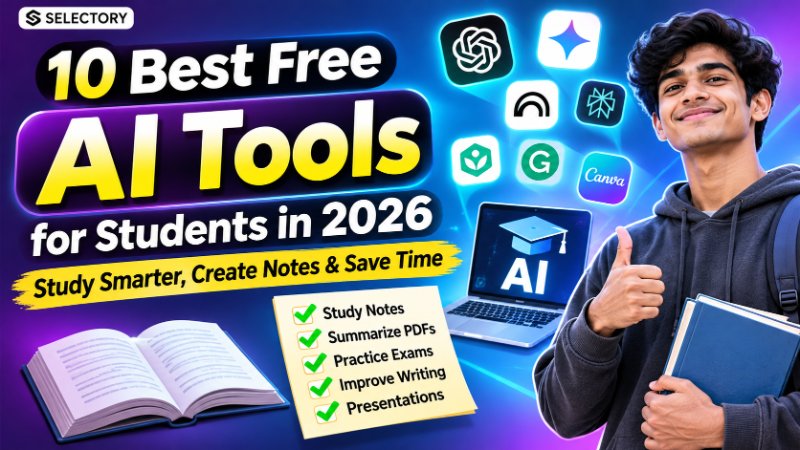
2026 के 15 Best Free AI Tools: Students, Creators और Professionals के लिए
सोचिए, आपको Assignment बनाना है, YouTube Video Edit करना है, Professional Presentation तैयार करनी है या Coding सीखनी है।
लेकिन हर काम के लिए अलग-अलग Paid Software खरीदना संभव नहीं है।
तो क्या Free AI Tools से ये काम हो सकते हैं?
हाँ! 2026 में कई ऐसे AI Tools उपलब्ध हैं जिनके Free Plans की मदद से आप Writing, Research, Coding, Designing और Productivity के काम कर सकते हैं।
लेकिन एक बात समझना जरूरी है।
Free AI Tool का मतलब हमेशा Unlimited Free Usage नहीं होता।
इस Guide में जानेंगे 15 उपयोगी AI Tools, उनके Features, Free Plan की Limitations और किस काम के लिए कौन-सा Tool चुनना चाहिए।
Free AI Tools क्या होते हैं?
Free AI Tools ऐसे Software या Online Platforms हैं जो Artificial Intelligence की मदद से विभिन्न Tasks पूरे करने में सहायता करते हैं।
उदाहरण के लिए:
- Questions के Answers देना
- Notes और Summaries तैयार करना
- Images और Graphics बनाना
- Videos Edit करना
- Programming में मदद करना
- Presentations बनाना
- Grammar और Writing सुधारना
- Research करना
कुछ Tools पूरी तरह Free होते हैं, जबकि कई में Free Tier या Limited Credits मिलते हैं।
2026 के 15 Best Free AI Tools — Quick Comparison
| # | AI Tool | Best For | Free Access |
|---|---|---|---|
| 1 | ChatGPT | Writing, Learning, Coding | Free Plan |
| 2 | Google Gemini | Research, Learning, Ideas | Free Plan |
| 3 | Perplexity | Web Research | Free Plan |
| 4 | Claude | Writing, Analysis | Free Plan |
| 5 | NotebookLM | PDF और Notes से Learning | Free Tier |
| 6 | Canva AI | Graphics, Presentations | Limited Free AI Features |
| 7 | Microsoft Copilot | General Productivity | Free Access |
| 8 | GitHub Copilot | Coding Assistance | Free Plan |
| 9 | Grammarly | Grammar और Writing | Free Plan |
| 10 | QuillBot | Paraphrasing | Limited Free Tools |
| 11 | DeepL | Translation और Writing | Free Features |
| 12 | Gamma | AI Presentations | Limited Free Credits |
| 13 | ElevenLabs | AI Voice Generation | Limited Free Credits |
| 14 | Adobe Firefly | AI Images और Graphics | Limited Free Credits |
| 15 | Hugging Face | AI Models और Demos | Free Public Resources |
ध्यान दें: Free Features, Credits, Regional Availability और Commercial Usage Rules समय के साथ बदल सकते हैं।
1. ChatGPT — Writing, Learning और Coding के लिए
ChatGPT एक AI Assistant है जिसकी मदद से आप सवाल पूछ सकते हैं, Concepts समझ सकते हैं और विभिन्न प्रकार का Content तैयार कर सकते हैं।
ChatGPT से क्या कर सकते हैं?
- कठिन Topics आसान भाषा में समझना
- Emails और Applications लिखना
- Coding Problems समझना
- Study Plans बनाना
- Content Ideas तैयार करना
- Documents का Analysis करना
Practical Example
अगर आप Computer Science Student हैं, तो यह Prompt इस्तेमाल करें:
Explain Object-Oriented Programming
in simple Hindi with real-life examples.

Cover:
1. Class
2. Object
3. Inheritance
4. Polymorphism

Add 5 practice questions.
Free Plan: उपलब्ध है, लेकिन Advanced Features और Usage पर Limits हो सकती हैं।
ChatGPT को केवल Answer Generator नहीं, बल्कि Learning Assistant की तरह इस्तेमाल करें।
2. Google Gemini — Learning और Research के लिए
Google Gemini Google का AI Assistant है।
इसका इस्तेमाल Concepts समझने, Content Ideas बनाने, Questions पूछने और कई दूसरे Tasks के लिए किया जा सकता है।
Gemini के उपयोग
- Study Topics समझना
- Notes तैयार करना
- Research Questions बनाना
- Creative Ideas Generate करना
- Writing और Planning में मदद लेना
Example Prompt:
Explain Artificial Intelligence
to a Class 10 student in Hindi.

Use simple examples and a
comparison table.
Free Plan: उपलब्ध है। Advanced Models और Features की Limits अलग हो सकती हैं।
3. Perplexity — Sources के साथ Research
Perplexity एक AI-Powered Search और Answer Platform है।
यह Web Information खोजकर Sources के साथ Answers देने में मदद करता है।
कब इस्तेमाल करें?
- किसी Topic पर Research करते समय
- Official Sources खोजते समय
- Different Products Compare करते समय
- Recent Developments समझते समय
Example Prompt:
Find official resources to learn
Python programming for beginners.

Include free courses and
documentation links.
महत्वपूर्ण: AI द्वारा दिखाए गए Sources भी Check करें। Citation होने का मतलब हर Claim सही होना नहीं है।
4. Claude — Writing और Detailed Analysis
Claude Anthropic का AI Assistant है।
यह Writing, Explanation, Brainstorming और Documents समझने जैसे Tasks में उपयोगी हो सकता है।
इसके उपयोग
- Articles की Structure तैयार करना
- Long Text Summarize करना
- Programming Concepts समझना
- Professional Writing सुधारना
Free Plan: उपलब्ध है, लेकिन Message और Feature Limits लागू हो सकती हैं।
5. NotebookLM — Students के लिए उपयोगी AI Tool
NotebookLM Google का Source-Based Research और Learning Tool है।
इसकी मदद से आप अपनी Study Materials से सवाल पूछ सकते हैं।
NotebookLM कैसे इस्तेमाल करें?
- NotebookLM खोलें।
- नया Notebook बनाएँ।
- Supported PDF, Document या Source जोड़ें।
- उस Content से Questions पूछें।
- Notes, Summaries और Study Materials तैयार करें।
Example:
अगर आपके पास 50 Pages के Computer Networks Notes हैं, तो पूछ सकते हैं:
Summarize these notes chapter-wise.

Create:
- Important definitions
- Key concepts
- Revision points
- 20 practice questions
NotebookLM की खास उपयोगिता यह है कि यह आपके दिए गए Sources के आधार पर जानकारी व्यवस्थित करने में मदद करता है।
6. Canva AI — Posters और Presentations
Canva एक Online Design Platform है जिसमें AI-Based Features भी उपलब्ध हैं।
Canva से क्या बना सकते हैं?
- YouTube Thumbnails
- Instagram Posts
- Presentations
- Posters
- Resume Designs
- Social Media Graphics
Canva में कुछ AI Features Free Usage के साथ उपलब्ध हो सकते हैं।
लेकिन Premium Templates, Advanced AI Features और Export Options के लिए Paid Plan की जरूरत पड़ सकती है।
7. Microsoft Copilot — Everyday Productivity
Microsoft Copilot AI की मदद से Questions, Writing और General Productivity Tasks में सहायता करता है।
उपयोग
- Professional Emails
- Topic Explanations
- Content Summaries
- Planning
- Brainstorming
ध्यान दें: Free Copilot Chat और Microsoft 365 Apps के Advanced Paid Copilot Features अलग हो सकते हैं।
8. GitHub Copilot — Coding सीखने वालों के लिए
GitHub Copilot Developers के लिए AI Coding Assistant है।
इसके उपयोग
- Code Suggestions
- Functions समझना
- Programming Errors पर Guidance
- Code Completion
- Development Workflow में सहायता
कैसे शुरू करें?
- GitHub Account बनाएँ।
- GitHub Copilot की Official Website खोलें।
- उपलब्ध Free Plan देखें।
- Supported Editor में Setup करें।
- Coding के दौरान Suggestions इस्तेमाल करें।
Free Plan: Limited Usage के साथ उपलब्ध है।
AI Generated Code को Run करने से पहले समझें, Test करें और Security Check करें।
9. Grammarly — English Writing सुधारने के लिए
Grammarly English Writing को बेहतर बनाने में मदद करता है।
उपयोग
- Spelling Correction
- Grammar Checking
- Writing Clarity
- Tone Suggestions
Students, Job Applicants और Professionals के लिए उपयोगी हो सकता है।
Free Plan: Basic Writing Assistance उपलब्ध है। Advanced AI Features सीमित हो सकते हैं।
10. QuillBot — Paraphrasing और Summarizing
QuillBot Writing और Text Rewriting के लिए उपयोगी Tool है।
इसके उपयोग
- Sentences को अलग तरीके से लिखना
- Grammar सुधारना
- Text Summarize करना
- Writing Clarity बढ़ाना
महत्वपूर्ण: किसी दूसरे के Content को केवल Paraphrase करके अपना Original Work बताना उचित नहीं है। Academic Citation Rules का पालन करें।
11. DeepL — Translation और Language Assistance
DeepL Translation और Language-Based Tasks के लिए जाना जाता है।
उपयोग
- Text Translation
- Multilingual Communication
- Language Learning
- Writing Improvement
Free Features उपलब्ध हैं, लेकिन Character Limits और Advanced Features Plan के अनुसार बदल सकते हैं।
12. Gamma — AI से Presentations बनाएँ
Gamma AI की मदद से Presentations और Visual Documents बनाने में सहायता करता है।
Presentation बनाने के Steps
- Gamma खोलें।
- Account बनाएँ।
- Presentation का Topic दें।
- AI से शुरुआती Slides Generate करें।
- Content और Design Edit करें।
- उपलब्ध Export या Sharing Options इस्तेमाल करें।
Example Prompt:
Create a professional presentation
on Cyber Security Awareness.

Include:
- Introduction
- Common Cyber Threats
- Real-life Examples
- Safety Tips
- Conclusion
Free Access: Limited Credits या Features के साथ उपलब्ध हो सकता है।
13. ElevenLabs — AI Voice Generation
ElevenLabs AI-Based Voice और Speech Tools प्रदान करता है।
इसके उपयोग
- Text-to-Speech
- Narration
- Voiceovers
- Audio Content
कुछ Features Free Credits के साथ उपलब्ध हो सकते हैं।
ध्यान दें: Voice Cloning और Generated Audio के Commercial Use के लिए Permission तथा Plan Terms जरूर जाँचें।
14. Adobe Firefly — AI Images और Creative Design
Adobe Firefly AI-Based Creative Generation के लिए उपयोगी है।
इसके उपयोग
- Text-to-Image
- Creative Visuals
- Graphic Concepts
- Image Editing
Example Prompt:
Create a professional futuristic
technology illustration.

Style:
- Clean modern composition
- Blue and purple lighting
- High detail
- 16:9 aspect ratio
- No text
Free Access: Limited Generative Credits और Account Eligibility पर निर्भर हो सकता है।
15. Hugging Face — AI Models Explore करने के लिए
Hugging Face एक AI Platform है जहाँ Developers और Learners विभिन्न Models, Datasets और Demonstrations Explore कर सकते हैं।
इसके उपयोग
- Open AI Models सीखना
- Public Model Demos आजमाना
- Machine Learning Projects Explore करना
- AI Development Resources खोजना
Public Resources में कई Free Options उपलब्ध हैं, लेकिन Hosted Compute और कुछ Advanced Services Paid हो सकती हैं।
Students के लिए कौन-से AI Tools बेहतर हैं?
| जरूरत | उपयोगी Tool |
|---|---|
| कठिन Topic समझना | ChatGPT / Gemini |
| PDF Notes से Revision | NotebookLM |
| Sources के साथ Research | Perplexity |
| English Grammar | Grammarly |
| Coding सीखना | GitHub Copilot |
| Presentation बनाना | Gamma / Canva |
Tip: हर Tool इस्तेमाल करने के बजाय अपनी जरूरत के अनुसार 2–3 Tools चुनें।
Content Creators के लिए Best AI Tools
| काम | उपयोगी Tool |
|---|---|
| Video Script Ideas | ChatGPT / Claude |
| Thumbnail Design | Canva |
| AI Voiceover | ElevenLabs |
| AI Images | Adobe Firefly |
| Research | Perplexity |
| Content Planning | Gemini / ChatGPT |
Free AI Tools इस्तेमाल करने का सही तरीका
अच्छे AI Prompts कैसे लिखें?
AI से बेहतर Results पाने के लिए अपनी Instructions स्पष्ट रखें।
एक उपयोगी Prompt में ये बातें शामिल हो सकती हैं:
- Role: AI को क्या भूमिका निभानी है?
- Task: क्या काम करना है?
- Context: किस Audience या Situation के लिए?
- Format: Output कैसे चाहिए?
- Constraints: क्या शामिल या Avoid करना है?
Example Prompt
Act as a Computer Science teacher.

Explain Database Normalization
to a beginner student.

Requirements:
- Use simple Hindi
- Explain 1NF, 2NF and 3NF
- Include practical examples
- Add a comparison table
- Create 5 MCQs with answers
अच्छा Prompt केवल लंबा नहीं होता, बल्कि स्पष्ट और काम के अनुसार Specific होता है।
Free AI Tools की 5 Important Limitations
1. Usage Limits
कई Tools Daily, Weekly या Monthly Usage Limits लागू करते हैं।
2. Incorrect Information
AI कभी-कभी गलत Answers या काल्पनिक References दे सकता है।
3. Privacy Risks
Personal Documents, Passwords और Confidential Information बिना जरूरत Upload न करें।
4. Commercial Usage Restrictions
Free Plan से Generate किए गए Content को Commercially इस्तेमाल करने की Permission अलग हो सकती है।
5. Paid Features
Advanced Models, Export Options और High-Quality Generation के लिए Upgrade जरूरी हो सकता है।
एक बात जो बहुत लोग नहीं जानते!
हर Task के लिए सबसे Advanced या सबसे महँगा AI Tool जरूरी नहीं है।
उदाहरण के लिए:
- Simple Notes के लिए General AI Assistant पर्याप्त हो सकता है।
- अपने PDFs से पढ़ने के लिए NotebookLM बेहतर विकल्प हो सकता है।
- Coding Suggestions के लिए GitHub Copilot उपयोगी हो सकता है।
- Posters के लिए Canva अधिक सुविधाजनक हो सकता है।
सही Tool चुनना, कई Tools इस्तेमाल करने से ज्यादा महत्वपूर्ण है।
Frequently Asked Questions (FAQs)
2026 में सबसे अच्छा Free AI Tool कौन-सा है?
यह आपके काम पर निर्भर करता है। General Tasks के लिए ChatGPT या Gemini, Research के लिए Perplexity और Coding के लिए GitHub Copilot उपयोगी विकल्प हैं।
क्या Free AI Tools Students के लिए उपयोगी हैं?
हाँ। Students इनका उपयोग Concepts समझने, Notes तैयार करने, Research और Practice Questions बनाने में कर सकते हैं।
क्या Free AI Tools से YouTube Content बना सकते हैं?
हाँ, AI Tools Scripts, Graphics, Voiceovers और Editing में मदद कर सकते हैं। लेकिन Copyright और Commercial Usage Terms Check करना जरूरी है।
क्या AI Tools का इस्तेमाल Mobile पर कर सकते हैं?
हाँ, कई AI Tools Mobile Browser या Official Apps के जरिए इस्तेमाल किए जा सकते हैं। कुछ Features Desktop पर अधिक सुविधाजनक होते हैं।
क्या AI Tools हमेशा सही जानकारी देते हैं?
नहीं। महत्वपूर्ण Facts, Statistics, Legal, Financial और Medical Information को विश्वसनीय Sources से Verify करना चाहिए।
निष्कर्ष
2026 में AI Tools की मदद से Students, Creators और Professionals कई काम अधिक आसानी से कर सकते हैं।
लेकिन हर AI Tool का Purpose और Free Plan अलग होता है।
इसलिए अपनी जरूरत के अनुसार सही Tool चुनें, उसकी Limitations समझें और Generated Output को Verify करें।
AI का सबसे अच्छा उपयोग वह है जहाँ Technology आपका समय बचाए, आपकी Skills बढ़ाए और काम की Quality बेहतर करे।