BrainFind / 8 min read · Hindi
AI से Free Website कैसे बनाएँ? बिना Coding (2026)
AI से बिना Coding Free Website कैसे बनाएँ? Google Sites, Wix AI और दूसरे Tools की मदद से Website बनाना, Publish करना और SEO सीखें।
Selectory editorial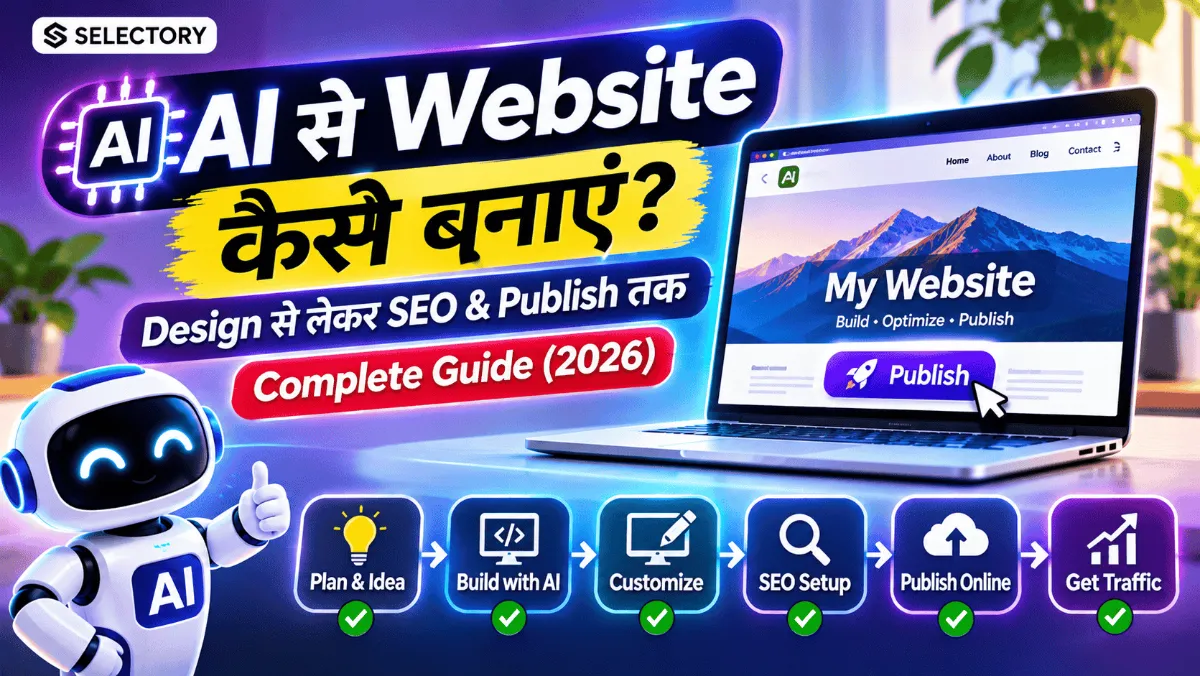
AI से Free Website कैसे बनाएँ? बिना Coding पूरी Guide (2026)
सोचिए, आपके पास एक शानदार Business Idea है। आप अपनी Website बनाना चाहते हैं, लेकिन न Coding आती है, न Developer को पैसे देने का Budget है।
तो क्या बिना Coding Website बन सकती है?
हाँ! आज AI Website Builders की मदद से आप केवल अपनी जरूरत बताकर Website का शुरुआती Design, Content और Layout तैयार कर सकते हैं।
सबसे अच्छी बात? कुछ Platforms पर Website बनाना और Free Subdomain पर Publish करना भी संभव है।
AI से Website बनाने के लिए Coding Expert होना जरूरी नहीं, लेकिन सही Tool चुनना और Website को अच्छी तरह Check करना जरूरी है।
AI Website Builder क्या है?
AI Website Builder एक ऐसा Tool है जो Artificial Intelligence की मदद से Website बनाने की प्रक्रिया आसान करता है।
आप अपनी जरूरत साधारण भाषा में बताते हैं और Tool उसके आधार पर Website का Design तैयार करने में मदद करता है।
उदाहरण के लिए:
आप लिखते हैं:
"मुझे एक Modern Portfolio Website चाहिए, जिसमें About Me, Projects, Skills और Contact Sections हों।"
AI इस Description के आधार पर Website का शुरुआती Structure और Content बना सकता है।
AI Website Builder क्या-क्या कर सकता है?
- Website का Layout तैयार करना
- Colors और Fonts Suggest करना
- Homepage Content लिखना
- Images और Visuals Suggest करना
- Mobile-Friendly Design बनाने में मदद करना
- Basic SEO Content तैयार करना
ध्यान दें: AI से बना Content और Design हमेशा सही या पूरी तरह तैयार नहीं होता। Publish करने से पहले Review जरूरी है।
2026 के Best AI Website Builders
| Tool | मुख्य उपयोग | Free Option |
|---|---|---|
| Wix AI | Business Website और Portfolio | Free Plan |
| Framer AI | Modern Design और Landing Pages | Free शुरुआत |
| Google Sites | Simple Informational Website | Free, लेकिन AI Builder नहीं |
| ChatGPT | Website Content और Code तैयार करना | Plan Limits के अनुसार |
हर Free Tool में Custom Domain, Hosting और Advanced Features मुफ्त नहीं मिलते।
सिर्फ 6 Steps में AI से Website कैसे बनाएँ?
यहाँ हम Wix AI Website Builder का Example लेते हैं।
Step 1: Wix AI Website Builder खोलें
- Wix की Official Website खोलें।
- Create with AI या संबंधित Start Option चुनें।
- अपना Account बनाएँ या Login करें।
- AI Website Creation Process शुरू करें।
Step 2: अपनी Website का Purpose बताएँ
AI को बताना होगा कि आप कैसी Website चाहते हैं।
उदाहरण:
- Portfolio Website
- Business Website
- Educational Website
- Restaurant Website
- Personal Blog
- Service Website
जितनी स्पष्ट जानकारी देंगे, उतना बेहतर शुरुआती Result मिल सकता है।
Step 3: AI को एक अच्छा Prompt दें
Prompt वह Instruction है जो आप AI को देते हैं।
एक अच्छे Prompt में Website का Purpose, Audience, Pages, Design Style और Features होने चाहिए।
Example Prompt:
Create a modern, professional website for a
digital marketing agency.

Website requirements:
- Clean and mobile-friendly design
- Home, About, Services and Contact pages
- Purple and white color theme
- Clear call-to-action buttons
- SEO-friendly headings
- Professional and trustworthy appearance
- Simple navigation
यह Prompt AI को Website की Structure और Design Requirements समझने में मदद करेगा।
Step 4: Website Design Customize करें
AI द्वारा तैयार Design को बिना जाँचे Publish न करें।
इन चीजों को Check करें:
- Website का Name और Logo
- Heading और Description
- Colors और Fonts
- Navigation Menu
- Images और Buttons
- Contact Details
Tip: Website पर केवल जरूरी Sections रखें। बहुत ज्यादा Animations और अनावश्यक Elements User Experience खराब कर सकते हैं।
Step 5: Mobile Preview Check करें
आज Website का Mobile-Friendly होना बहुत महत्वपूर्ण है।
Publish करने से पहले:
- Text आसानी से पढ़ा जा रहा हो।
- Buttons सही काम कर रहे हों।
- Images कट नहीं रही हों।
- Menu आसानी से खुल रहा हो।
- Contact Form सही काम कर रहा हो।
Step 6: Website Publish करें
Website तैयार होने के बाद Publish Option इस्तेमाल करें।
Wix के Free Plan में Website आमतौर पर Wix-Branded URL पर Publish होती है।
उदाहरण:
yourname.wixsite.com/yourwebsite
अपना Custom Domain जोड़ने और कुछ Advanced Features के लिए Paid Plan की जरूरत होती है।
Website Free में Publish हो सकती है, लेकिन Free Website और Free Custom Domain एक ही चीज नहीं हैं।
पूरा Process एक Flowchart में
क्या Google Sites से भी Free Website बना सकते हैं?
हाँ! Google Sites से बिना Coding एक Simple Website बनाई जा सकती है।
लेकिन Google Sites को Dedicated AI Website Generator समझना सही नहीं होगा।
इसमें Website का Layout और Content मुख्यतः आपको खुद व्यवस्थित करना होता है।
Google Sites पर Website बनाने के Steps
- Google Sites खोलें।
- Blank Site या Template चुनें।
- Website का Title लिखें।
- Text, Images और जरूरी Pages जोड़ें।
- Preview Check करें।
- Publish पर Click करें।
यह तरीका Students, Teachers और Simple Information Websites के लिए उपयोगी हो सकता है।
Wix AI vs Google Sites: कौन बेहतर है?
| Feature | Wix AI | Google Sites |
|---|---|---|
| AI Website Generation | ✅ | Dedicated AI Builder नहीं |
| No-Code Editing | ✅ | ✅ |
| Free Publishing | ✅ | ✅ |
| Design Flexibility | अधिक | सीमित |
| Simple Educational Site | ✅ | ✅ |
| Business Features | कई विकल्प | सीमित |
| Custom Domain | Paid Plan | Setup और Eligibility पर निर्भर |
किसे चुनें?
अगर AI से Website Design Generate करना चाहते हैं, तो Wix AI उपयोगी विकल्प है।
अगर केवल एक Simple Information Website बनानी है, तो Google Sites पर्याप्त हो सकता है।
क्या ChatGPT से Website बना सकते हैं?
हाँ, ChatGPT से Website का HTML, CSS और JavaScript Code तैयार करने में मदद ली जा सकती है।
लेकिन Code Generate करना और Website को Internet पर Publish करना अलग-अलग काम हैं।
ChatGPT Website Prompt Example
Create a responsive personal portfolio website
using HTML, CSS and JavaScript.

Include:
- Modern homepage
- About section
- Skills section
- Project cards
- Contact section
- Mobile responsive navigation
- Clean typography
- Accessible buttons

Provide complete code with instructions
to run the website locally.
इसके बाद Generated Code को Test करना होगा।
जरूरत पड़ने पर उसे GitHub Pages जैसे Hosting Platform पर Publish किया जा सकता है।
AI से बनी Website को Google पर कैसे लाएँ?
Website Publish होने का मतलब यह नहीं कि वह तुरंत Google Search Results में दिखाई देगी।
इसके लिए कुछ Basic SEO Steps उपयोगी हैं।
1. SEO-Friendly Title लिखें
उदाहरण:
गलत: My Website
बेहतर: Digital Marketing Services in Indore | Brand Name
2. Meta Description जोड़ें
हर महत्वपूर्ण Page के लिए स्पष्ट Description लिखें।
3. सही Headings इस्तेमाल करें
- H1 — Page का मुख्य विषय
- H2 — प्रमुख Sections
- H3 — संबंधित Subtopics
4. Images में Alt Text जोड़ें
Images का वर्णन करने वाला उपयोगी Alt Text लिखें।
5. Google Search Console इस्तेमाल करें
Google Search Console से Website की Search Performance और Indexing Status जाँच सकते हैं।
ध्यान दें: Indexing Request करने से Google Ranking या तुरंत Indexing की Guarantee नहीं मिलती।
AI Website बनाते समय ये 5 गलतियाँ न करें
1. बिना Check किए AI Content Publish करना
AI गलत या अधूरी जानकारी दे सकता है।
2. Mobile Design Ignore करना
Desktop पर अच्छी दिखने वाली Website Mobile पर भी सही काम करे, यह जाँचना जरूरी है।
3. Copyright Images इस्तेमाल करना
Images और दूसरे Content के इस्तेमाल की Permission Check करें।
4. Free Plan की Limits न समझना
कुछ Features, Custom Domains और Payment Options के लिए Upgrade जरूरी हो सकता है।
5. SEO को पूरी तरह Ignore करना
अच्छी Website बनाना पहला Step है। सही Audience तक पहुँचने के लिए Content Quality, Search Visibility और Promotion पर भी काम करना होगा।
एक बात जो बहुत लोग नहीं जानते!
AI से Website बनाने के बाद भी आपको Website के Content, Accuracy, Security और User Experience की जिम्मेदारी लेनी होती है।
AI शुरुआती Design जल्दी तैयार कर सकता है, लेकिन एक उपयोगी Website बनाने के लिए Human Review जरूरी है।
AI Website Builder आपका काम आसान करता है, लेकिन आपकी Website की Quality आपके Decisions पर निर्भर करती है।
Frequently Asked Questions (FAQs)
क्या AI से बिल्कुल Free Website बना सकते हैं?
हाँ, कुछ AI Website Builders Free Plan पर Website बनाने और Free Subdomain के साथ Publish करने की सुविधा देते हैं। हालांकि Features और Limits अलग हो सकती हैं।
क्या बिना Coding Website बनाना संभव है?
हाँ। Wix AI और Google Sites जैसे No-Code Platforms से बिना Programming सीखे Website बनाई जा सकती है।
क्या AI से बनी Website Google पर Rank कर सकती है?
हाँ, AI की मदद से बनी Website भी Google Search में दिखाई दे सकती है। Ranking Content Quality, Relevance, Technical SEO और अन्य Factors पर निर्भर करती है।
क्या AI से E-commerce Website बना सकते हैं?
हाँ, कई Platforms Online Store बनाने के Tools देते हैं। लेकिन Online Payments और Advanced E-commerce Features के लिए Paid Plan जरूरी हो सकता है।
क्या Mobile से AI Website बना सकते हैं?
कुछ AI Website Builders Mobile Browser पर काम करते हैं, लेकिन Editing Experience और Features Platform के अनुसार अलग हो सकते हैं। Complex Design के लिए Laptop अधिक सुविधाजनक हो सकता है।
निष्कर्ष
AI ने Website बनाना पहले की तुलना में काफी आसान कर दिया है।
अब Beginners भी बिना Coding सीखे Portfolio, Business या Informational Website बनाने की शुरुआत कर सकते हैं।
लेकिन सही AI Tool चुनना, Website को Customize करना, Mobile Preview Check करना और SEO सुधारना जरूरी है।
AI से Website बनाना आसान है, लेकिन सफल Website बनाने के लिए उपयोगी Content और अच्छा User Experience सबसे महत्वपूर्ण हैं।