Exams and Career / 17 min read · English
How to Write an ATS-Friendly Resume: Complete Guide
Learn how to write a professional, ATS-friendly resume that clearly presents your skills and experience. Discover practical formatting rules, keyword strategies, resume examples, and a simple template you can adapt for your next job application.
Selectory editorial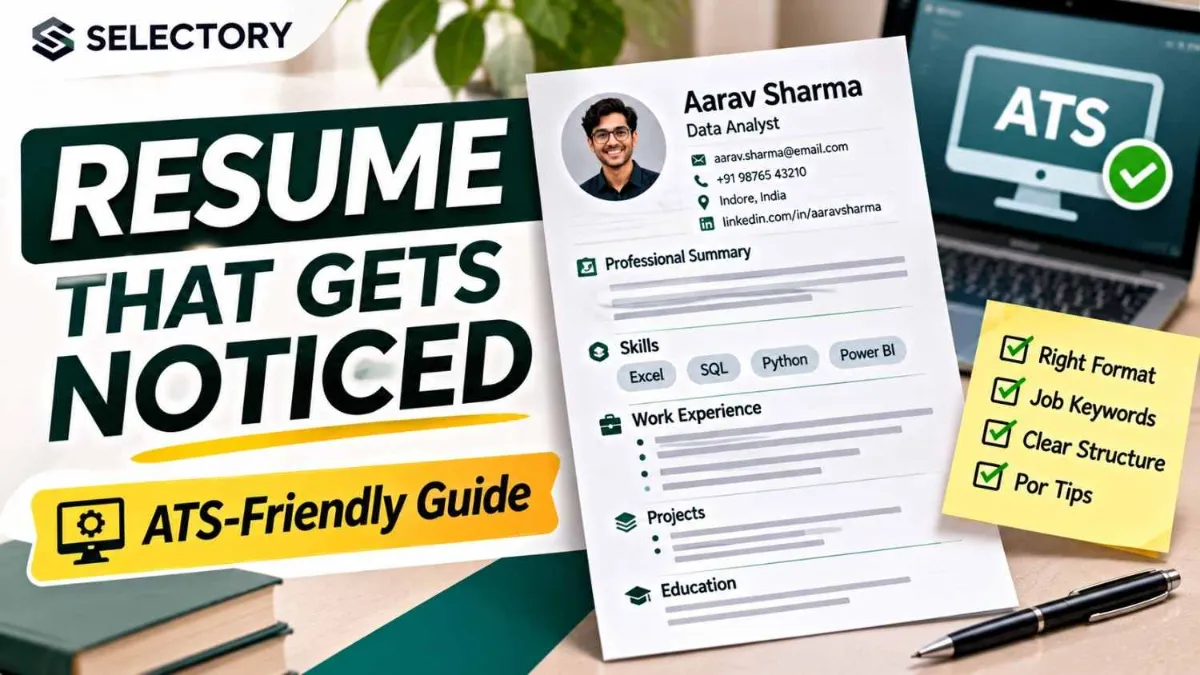
How to Write an ATS-Friendly Resume That Gets Noticed
You find a job that matches your skills.
You spend hours creating a beautiful resume, submit your application, and wait.
But you never hear back.
Does that mean your resume was rejected by a computer?
Not necessarily. Employers may receive many applications, and hiring decisions involve qualifications, competition, timing, and human judgment.
However, there's one important factor worth understanding: Applicant Tracking Systems (ATS).
Many employers use ATS software to collect, organize, search, and review job applications.
A resume that's difficult for this software to read may create unnecessary problems.
The good news? You don't need an expensive resume builder or complicated design to create a professional resume.
In this guide, you'll learn how to write an ATS-friendly resume, choose the right keywords, describe your achievements, and avoid common formatting mistakes.
The best resume is easy for software to process and easy for a recruiter to understand.
1. What Is an Applicant Tracking System (ATS)?
An Applicant Tracking System (ATS) is software employers use to manage job applications and recruitment workflows.
Depending on the system and employer settings, it may help recruiters:
- Collect applications
- Store resumes and candidate information
- Extract information from uploaded documents
- Search for relevant skills and experience
- Filter applicants using job requirements
- Track candidates through hiring stages
An ATS does not always automatically reject resumes that lack certain keywords.
Different employers use different systems and screening processes.
How the Application Process May Work
Some employers also use screening questions, assessments, or manual review.
Important: There is no universal ATS algorithm that every company uses.
2. What Makes a Resume ATS-Friendly?
An ATS-friendly resume is structured so that relevant information can be extracted and interpreted reliably.
It should also remain readable for human reviewers.
ATS-Friendly vs Difficult-to-Parse Resume
| ATS-Friendly Resume | Potentially Problematic Resume |
|---|---|
| Single-column layout | Complex multi-column design |
| Standard section headings | Unusual creative headings |
| Common readable fonts | Decorative or uncommon fonts |
| Clear work history | Scattered dates and job titles |
| Relevant skills in context | Random keyword stuffing |
| Text-based document | Resume saved as an image |
| Simple bullet points | Graphics and text boxes |
| Consistent date formatting | Inconsistent dates |
Simple formatting reduces avoidable parsing problems.
But formatting alone cannot make an unqualified applicant suitable for a job.
3. Choose the Right Resume Format
Three common resume formats are:
- Reverse-chronological
- Functional
- Combination
Reverse-Chronological Resume
This format lists your most recent experience first.
Best for: Most professionals with relevant work history.
Example:
WORK EXPERIENCE

Marketing Associate
ABC Company
June 2023 – Present

Marketing Intern
XYZ Company
January 2023 – May 2023
Functional Resume
This format emphasizes skills rather than work history.
It may be useful in specific situations, but some recruiters and parsing systems can find it harder to interpret.
Combination Resume
This format highlights relevant skills while maintaining a clear chronological work history.
Best for: Some career changers or applicants with varied experience.
Which Format Should You Choose?
For most applicants, a clean reverse-chronological or combination resume is a sensible starting point.
4. Use a Simple One-Column Layout
A complicated resume layout may look attractive but can create parsing problems.
Recommended Structure
FULL NAME
Contact Information

PROFESSIONAL SUMMARY

SKILLS

WORK EXPERIENCE

PROJECTS

EDUCATION

CERTIFICATIONS
You can change the order based on your experience.
For example, recent graduates may place Education and Projects above Work Experience.
Formatting Guidelines
- Use one main text column.
- Keep text left-aligned.
- Use consistent margins.
- Use clear section headings.
- Avoid decorative icons.
- Avoid text boxes and complex tables.
- Keep important details out of document headers and footers.
Tip: Use bold text to distinguish job titles, organizations, and headings without adding unnecessary design elements.
5. Choose Readable Fonts and Sizes
Your resume should be comfortable to read on a screen.
Common Font Choices
- Arial
- Calibri
- Aptos
- Georgia
- Times New Roman
- Helvetica
Practical Font Sizes
| Element | Suggested Size |
|---|---|
| Name | 16–20 pt |
| Section headings | 12–14 pt |
| Body text | 10–12 pt |
These are practical guidelines, not mandatory ATS rules.
Maintain consistent spacing and avoid making text tiny just to fit more information.
6. Add Professional Contact Information
Your contact details should be easy to find.
Example
AARAV SHARMA

Indore, Madhya Pradesh, India
aarav.sharma@example.com
+91 XXXXX XXXXX

LinkedIn: linkedin.com/in/example-profile
Portfolio: example.com
The details above are fictional placeholders.
Include
- Full name
- Professional email
- Phone number
- City and region
- Relevant portfolio or professional profile
Usually Avoid
- Full home address unless required
- Unnecessary personal information
- Unprofessional email addresses
- Unrelated social media links
Photo requirements and personal-information expectations vary by country, industry, and employer.
Follow the job application's instructions.
7. Write a Strong Professional Summary
A professional summary introduces your most relevant qualifications.
It should be specific rather than filled with generic adjectives.
Weak Example
Hardworking and passionate individual
seeking an opportunity in a reputed
organization where I can grow.
This doesn't tell the employer much about your capabilities.
Better Example
Detail-oriented marketing graduate with
hands-on experience in content planning,
Google Sheets, and social media reporting.
Created campaign reports and managed
content calendars during a three-month
internship. Seeking an entry-level
digital marketing role.
Simple Summary Formula
Professional Identity
+ Relevant Skills
+ Evidence or Experience
+ Target Role
Do Freshers Need a Summary?
Not always.
If your resume already makes your skills and projects clear, a summary may be optional.
Use one when it adds useful context.
8. Understand Resume Keywords
Resume keywords are words and phrases related to a job's requirements.
They may include:
- Technical skills
- Software names
- Certifications
- Job responsibilities
- Industry terminology
- Relevant qualifications
Example Job Description
Suppose a job advertisement requests:
Junior Data Analyst

Required Skills:
- Microsoft Excel
- SQL
- Data Cleaning
- Data Visualization
- Reporting
- Communication
If you genuinely have these skills, your resume should describe them clearly.
Relevant Skills Section
TECHNICAL SKILLS

Microsoft Excel
SQL
Data Cleaning
Data Visualization
Reporting
But a skills list alone isn't always convincing.
You should also show where you applied these skills.
Better Evidence
PROJECTS

Sales Data Analysis

- Cleaned and analyzed a sample sales
  dataset using SQL and Excel.
- Created summary charts to identify
  monthly revenue trends.
- Presented findings in a concise
  reporting dashboard.
Keywords help describe your qualifications. Evidence shows what you can actually do.
9. How to Find Keywords in a Job Description
Follow this process for every important application.
Step 1: Read the Entire Job Posting
Pay attention to:
- Required qualifications
- Preferred qualifications
- Tools and technologies
- Responsibilities
- Industry-specific terms
Step 2: Separate Essential and Preferred Skills
Example:
| Essential | Preferred |
|---|---|
| Excel | Power BI |
| Data analysis | Python |
| Reporting | Dashboard automation |
| Communication | Industry experience |
Step 3: Match Your Real Experience
Include relevant terms only when they accurately describe your skills.
Step 4: Add Keywords Naturally
Place them in:
- Professional summary
- Skills
- Work experience
- Projects
- Certifications
Step 5: Keep the Resume Readable
Don't repeat a keyword unnecessarily.
Avoid Keyword Stuffing
Bad:
Excel SQL Excel SQL data analyst
SQL reporting Excel dashboard SQL
Better:
Analyzed sales records using SQL and
created Excel reports to summarize
monthly performance.
Never include hidden keywords, false experience, or skills you cannot demonstrate.
10. Write Work Experience That Shows Impact
Recruiters need to understand what you did and why it mattered.
Avoid listing only vague responsibilities.
Weak Bullet
Responsible for social media.Stronger Bullet
Planned and scheduled social media
content across three channels using
a weekly editorial calendar.
With a Verified Result
Improved average post engagement by
18% over three months by testing
content formats and publishing times.
Only use numbers you can support.
Helpful Bullet Formula
Action Verb + What You Did + Tools or Method + Result
For example:
Automated weekly inventory reports
using Excel formulas, reducing manual
preparation time by approximately
two hours per reporting cycle.
The example is illustrative; don't copy the result unless it reflects your experience.
11. Use Strong Action Verbs
Action verbs make your contributions clearer.
| Instead of | Consider |
|---|---|
| Helped with | Supported, Coordinated |
| Worked on | Developed, Implemented |
| Did analysis | Analyzed, Evaluated |
| Made reports | Prepared, Created |
| Was responsible for | Managed, Maintained |
| Improved things | Optimized, Streamlined |
| Took part in | Collaborated, Contributed |
Choose verbs that accurately reflect your role.
Don't use "led" when you only observed or assisted.
12. How to Write an ATS-Friendly Resume With No Experience
Freshers can build strong resumes without inventing professional experience.
Focus on relevant evidence.
Include
- Education
- Academic projects
- Internships
- Volunteer experience
- Relevant coursework
- Certifications
- Practical skills
- Competitions or achievements
Example: Entry-Level Web Developer
PROJECTS

Personal Portfolio Website

- Built a responsive portfolio website
  using HTML, CSS, and JavaScript.
- Implemented mobile-friendly layouts.
- Organized project examples and
  contact information.

Student Task Manager

- Created a browser-based task manager
  using JavaScript.
- Implemented task creation, editing,
  and completion features.
- Tested functionality across multiple
  screen sizes.
Projects should represent work you actually completed.
Academic Projects Count
A well-documented project can demonstrate:
- Technical knowledge
- Problem-solving
- Communication
- Planning
- Practical application
13. How to List Skills Correctly
A skills section should be concise and relevant.
Example for a Data Analyst
TECHNICAL SKILLS

Data Analysis: Excel, SQL
Visualization: Power BI, Excel Charts
Programming: Python
Reporting: Dashboards, Data Summaries
Include only tools you genuinely know.
Technical vs Soft Skills
Technical skills are often easier to verify through projects and experience.
Soft skills are best supported through evidence.
Instead of simply writing:
Leadership
Communication
Teamwork
You might describe a relevant experience:
Coordinated a five-member student team
to deliver a semester project by the
scheduled deadline.
Use genuine examples rather than exaggerated claims.
14. How to Add Education and Certifications
Education Example
EDUCATION

Bachelor of Computer Applications
Example University
2022 – 2025
You may include grades if they are relevant or requested.
Certifications Example
CERTIFICATIONS

Google Data Analytics Professional Certificate
Issued: [Month, Year]

SQL Fundamentals
Provider: [Organization]
Issued: [Month, Year]
Only list certifications you have actually earned.
Don't imply that completing a tutorial is equivalent to earning an official certification.
15. How Long Should Your Resume Be?
There is no universal one-page rule.
General Guidance
| Applicant | Practical Starting Point |
|---|---|
| Student or fresher | Often one page |
| Early-career professional | One or two pages |
| Experienced professional | Length based on relevant experience |
| Academic or research applicant | May need a longer CV |
The goal is to present relevant qualifications efficiently.
Don't remove important experience solely to reach one page.
Don't add filler to make a resume longer.
Relevant information matters more than an arbitrary page count.
16. PDF or DOCX: Which Is Better?
Both can work, depending on the employer's system.
DOCX
Advantages:
- Editable
- Commonly supported
- Can be easier for some parsing workflows
Text-Based PDF
Advantages:
- Preserves layout
- Convenient to share
- Readable across many devices
Important Rule
Always follow the file format requested in the job posting.
If the employer accepts both, a properly exported text-based PDF or a clean DOCX may be suitable.
Avoid scanned or image-only PDFs.
Test Your PDF
- Open the exported PDF.
- Select all text.
- Copy it into a plain text editor.
- Check whether the text appears in the correct order.
- Confirm that important information is not missing.
This test can reveal extraction problems, but it does not guarantee compatibility with every ATS.
17. Free ATS-Friendly Resume Template
Use this simple structure as a starting point.
Replace all placeholders with your real information.
[YOUR FULL NAME]

[City, State/Country]
[Phone Number]
[Professional Email]
[LinkedIn URL]
[Portfolio URL]

PROFESSIONAL SUMMARY

[2–3 sentences describing your relevant
skills, experience, and career focus.]

SKILLS

- [Relevant Skill 1]
- [Relevant Skill 2]
- [Relevant Skill 3]
- [Relevant Skill 4]

WORK EXPERIENCE

[Job Title]
[Company Name]
[Month Year] – [Month Year]

- [Action + responsibility + result]
- [Action + responsibility + result]
- [Action + responsibility + result]

PROJECTS

[Project Name]
[Tools or Technologies]

- [What you built or accomplished]
- [How you approached the problem]
- [Relevant outcome or learning]

EDUCATION

[Degree or Qualification]
[Institution Name]
[Graduation Year]

CERTIFICATIONS

[Certification Name]
[Issuing Organization]
[Date]
For an entry-level applicant, move Projects and Education above Work Experience if they provide stronger evidence.
18. Complete Example: Entry-Level Data Analyst Resume
The following example is fictional and provided only to demonstrate structure.
AARAV SHARMA

Indore, Madhya Pradesh, India
aarav.sharma@example.com
+91 XXXXX XXXXX

PROFESSIONAL SUMMARY

Computer applications graduate with
project experience in SQL, Excel,
and data visualization. Built
practice dashboards and analyzed
sample datasets to identify trends.
Seeking an entry-level data analyst role.

TECHNICAL SKILLS

SQL
Microsoft Excel
Data Cleaning
Data Visualization
Python Basics
Reporting

PROJECTS

Retail Sales Analysis

- Cleaned a sample retail dataset
  using SQL queries.
- Created Excel charts showing
  monthly sales trends.
- Summarized findings in a
  dashboard and written report.

Student Performance Analysis

- Organized academic performance
  data using spreadsheet formulas.
- Compared performance across
  subjects and assessment periods.
- Presented observations using
  charts and summary tables.

EDUCATION

Bachelor of Computer Applications
Example University
2022 – 2025

CERTIFICATIONS

[Relevant Verified Certification]
[Issuing Organization]
This example intentionally avoids invented company employment or unsupported performance metrics.
19. How to Tailor Your Resume for Each Job
You don't need to rewrite everything for every application.
Instead, maintain a master resume containing your complete, accurate experience.
Then create a focused version for each relevant job.
Example
Suppose you are applying for:
Job A: Data Analyst
Emphasize:
- SQL
- Excel
- Reporting
- Data cleaning
- Analytical projects
Job B: Business Operations Associate
Emphasize:
- Process documentation
- Spreadsheets
- Coordination
- Reporting
- Operational improvements
Use the same truthful experience, but prioritize different relevant details.
Resume Tailoring Workflow
20. Can AI Help Write an ATS-Friendly Resume?
Yes, AI can help with drafting, editing, and organization.
However, you remain responsible for accuracy.
Useful AI Tasks
- Improve bullet clarity
- Identify relevant job-description terms
- Check grammar
- Suggest resume structure
- Remove repetitive language
- Compare a resume with job requirements
Example Prompt
Act as a professional resume editor.

I will provide:
1. My existing resume
2. A job description

Your task:
- Identify relevant job requirements.
- Suggest improvements to my summary.
- Rewrite bullet points for clarity.
- Highlight missing evidence.
- Preserve all factual details.
- Do not invent skills, employment,
  achievements, dates, or metrics.

Use a simple ATS-friendly structure.
Protect Your Privacy
Avoid uploading unnecessary sensitive personal information to AI services.
You can replace contact details with placeholders while editing.
Review Every Suggestion
AI may invent achievements or exaggerate your role.
Remove anything you cannot support.
21. Do ATS Resume Checkers Work?
Online resume checkers can identify useful issues, such as:
- Missing section headings
- Potential formatting problems
- Skills mentioned in a job description
- Spelling errors
- Inconsistent structure
However, their scores are not universal measures of resume quality.
What an ATS Score Cannot Guarantee
A high score does not guarantee:
- An interview
- Recruiter approval
- Compatibility with every employer's ATS
- That you meet job requirements
- That your resume will be shortlisted
Different employers configure their systems differently.
Treat checker scores as feedback, not as hiring predictions.
22. Common ATS Resume Mistakes
Mistake 1: Using Complex Two-Column Templates
Some systems may extract information in the wrong order.
Better: Use a clean single-column layout.
Mistake 2: Placing Contact Details in Headers
Some parsers may miss document header content.
Better: Keep essential details in the main document body.
Mistake 3: Using Images for Important Information
Text embedded in graphics may not be extracted correctly.
Better: Use selectable text.
Mistake 4: Keyword Stuffing
Repeating keywords without context can make your resume less credible.
Better: Connect skills to real experience.
Mistake 5: Using the Same Resume for Every Job
A generic resume may fail to emphasize relevant qualifications.
Better: Tailor your resume to each role.
Mistake 6: Inventing Achievements
False information can damage your credibility and employment prospects.
Better: Use verified accomplishments and genuine project work.
Mistake 7: Ignoring File Instructions
Submitting an unsupported format may cause problems.
Better: Follow the employer's requirements.
Mistake 8: Using Unclear Section Headings
Creative labels can make the document harder to interpret.
Better: Use familiar headings such as Experience, Skills, Projects, and Education.
23. Final ATS Resume Checklist
Before submitting your next application, check:
- [ ] My resume is tailored to the job.
- [ ] My contact details are correct.
- [ ] I use clear, standard section headings.
- [ ] My layout is simple and readable.
- [ ] My experience is in a logical order.
- [ ] Relevant keywords appear naturally.
- [ ] Every listed skill is genuine.
- [ ] My bullets explain actual contributions.
- [ ] Results and metrics are accurate.
- [ ] My dates are consistent.
- [ ] I have removed unnecessary graphics.
- [ ] The exported file contains selectable text.
- [ ] I used the requested file format.
- [ ] I checked spelling and grammar.
- [ ] My file has a professional name.
Example File Name
Aarav_Sharma_Data_Analyst_Resume.pdfAvoid confusing file names such as:
resume_final_final_new2.pdfFrequently Asked Questions
What is an ATS-friendly resume?
An ATS-friendly resume uses clear headings, simple formatting, relevant qualifications, and machine-readable text so applicant tracking software can process it more reliably.
Is a one-column resume better for ATS?
A single-column layout is generally a safer choice because it reduces the risk of text being extracted in the wrong order.
Is PDF or Word better for ATS?
Both may be accepted. Follow the employer's instructions and use a text-based PDF or clean DOCX where permitted.
Can ATS read Canva resumes?
Some Canva-generated resumes may be readable, but complex layouts, graphics, and text boxes can cause problems. Test text extraction and prefer a simpler design when applying through ATS-driven workflows.
Do ATS systems automatically reject resumes?
Some employers use automated screening rules, but ATS software can also function primarily as an application management and search tool. Not every application is automatically scored or rejected.
What keywords should I include?
Include relevant skills, tools, certifications, and qualifications from the job description that you genuinely possess.
Should freshers use an ATS-friendly resume?
Yes. Freshers can use a simple structure emphasizing education, projects, internships, and practical skills.
Should I add a photo to my resume?
Usually avoid photos for standard ATS-focused applications unless the employer, industry, or local convention specifically calls for one.
Can I use ChatGPT to write my resume?
Yes, for drafting and editing. Verify every detail and never include fabricated experience or achievements.
Is a 90% ATS score good?
An ATS-checker score may be useful feedback, but there is no universal score that guarantees compatibility, shortlisting, or an interview.
Can I use the same resume for multiple jobs?
You can maintain a master resume, but tailoring its content to each relevant job helps highlight your strongest qualifications.
How do I know whether my resume is ATS-readable?
Use simple formatting, test text extraction, and check that all important information appears correctly. This reduces risk but cannot guarantee how every ATS will process the file.
Conclusion
An ATS-friendly resume doesn't need flashy graphics, expensive templates, or complicated tricks.
It needs clarity.
Use a readable format, describe your experience accurately, include relevant job keywords, and demonstrate your skills through real examples.
Most importantly, remember that your resume has two audiences:
The software that processes applications and the people who make hiring decisions.
A well-structured resume helps both understand your qualifications.
Don't try to trick the ATS. Make it easier for employers to recognize what you genuinely bring to the role.
Start with the simple template in this guide, tailor it to the job you want, and improve it as your experience grows.
Sources and Further Reading
1. University of Minnesota Duluth — Applicant Tracking System Tips
https://career.d.umn.edu/students/resume-cover-letter/applicant-tracking-system-ats-tips
2. University of Virginia — Navigating Applicant Tracking Systems
https://career.virginia.edu/navigating-ats/
3. University of Central Missouri — The Anatomy of an ATS-Friendly Resume Format
https://careerandlife.ucmo.edu/resources/the-anatomy-of-an-ats-friendly-resume-format/
4. Indeed — Best Practices for Applicant Tracking Systems
https://www.indeed.com/career-advice/resumes-cover-letters/how-to-beat-applicant-tracking-system
5. Indeed India — How to Use Keywords in Job Applications
https://in.indeed.com/career-advice/finding-a-job/how-to-use-keywords-in-job-applications
Disclaimer: Resume practices vary by employer, industry, country, and applicant tracking software. No formatting method or keyword strategy guarantees an interview or job offer.