AI intelligence / 27 min read · English
Best AI Tools Compared: ChatGPT vs Gemini vs Claude vs DeepSeek vs Perplexity vs Grok
Which AI assistant is actually best? Compare ChatGPT, Gemini, Claude, DeepSeek, Perplexity and Grok for writing, coding, research, studying, accuracy, privacy and free features. Discover which AI tool fits your needs with practical examples, comparisons and FAQs.
Selectory editorial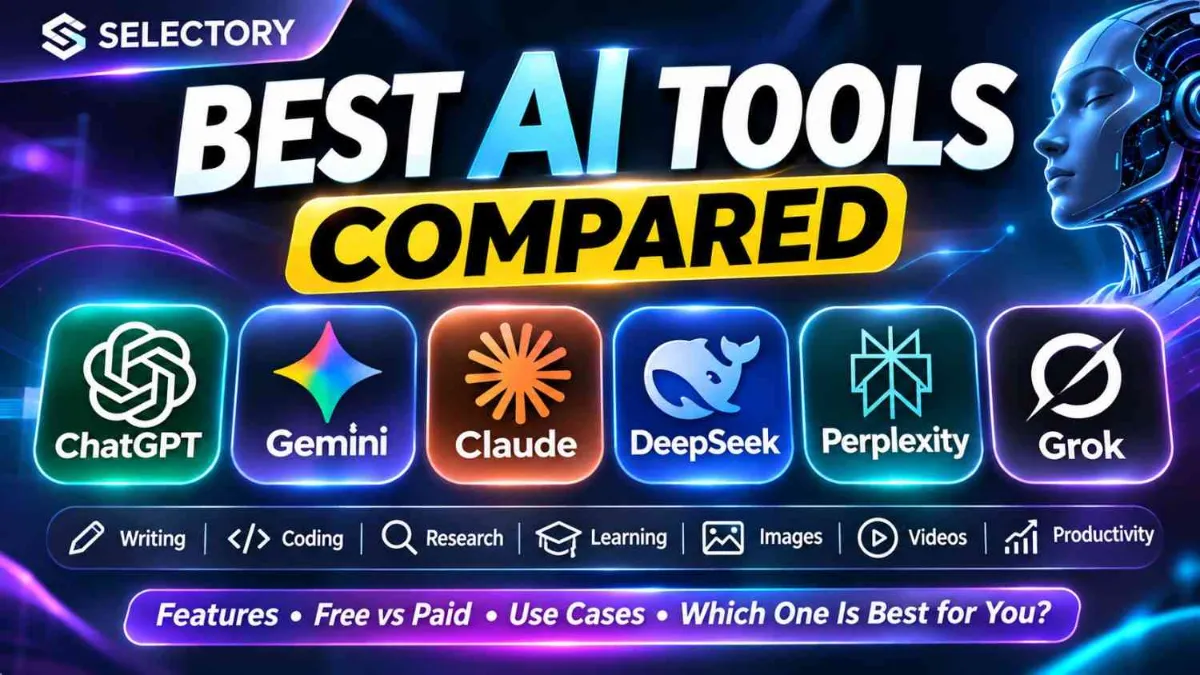
Best AI Tools Compared: ChatGPT vs Gemini vs Claude vs DeepSeek vs Perplexity vs Grok
Last updated: November 2, 2026 | Reading time: 18–22 minutes
Which AI is best: ChatGPT, Gemini, Claude, DeepSeek, Perplexity, or Grok?
If you've searched for the best AI chatbot, best free AI tool, ChatGPT alternatives, or the most accurate AI for research, you've probably noticed one problem: every platform claims to be powerful.
But they aren't identical.
Some AI assistants are designed for everyday productivity. Others are especially useful for working with documents, exploring sources, writing code, or following current conversations.
And the most expensive AI subscription isn't automatically the best choice.
In this complete comparison, we'll examine six widely discussed AI assistants:
- ChatGPT by OpenAI
- Gemini by Google
- Claude by Anthropic
- DeepSeek
- Perplexity
- Grok by xAI
We'll compare their features, free plans, pricing, strengths, limitations, and suitability for students, writers, programmers, researchers, and professionals.
You'll also learn how to test AI tools yourself instead of trusting marketing claims.
Quick answer: ChatGPT is a versatile starting point, Gemini is compelling for Google users, Claude is worth testing for writing and coding, Perplexity emphasizes source-backed research, DeepSeek is an alternative for technical tasks, and Grok is useful for exploring web and X conversations.
These are recommendations based on product features and use cases, not the results of a controlled benchmark. Model performance changes frequently.
1. What Is an AI Assistant?
An AI assistant is software that uses artificial intelligence to respond to instructions, answer questions, analyze information, and help complete tasks.
Many modern assistants use large language models, or LLMs.
You can interact with them using natural language.
For example:
Explain compound interest to a beginner using a simple example.
Or:
Review this Python function, identify bugs, and suggest improvements.
Some AI assistants also support:
- Web searches
- Document analysis
- Image understanding
- Voice conversations
- Image generation
- Coding tools
- Data analysis
- Research workflows
- Connected applications
However, capabilities vary by product, subscription, country, and account.
How Does an AI Chatbot Work?
In simplified terms:
An AI assistant generates responses based on learned patterns and available context.
It does not automatically know whether every statement it produces is correct.
Important: AI-generated information should be verified before being used for medical, legal, financial, academic, or other consequential decisions.
2. Best AI Tools at a Glance
| AI Tool | Particularly Useful For | Free Access | Main Consideration |
|---|---|---|---|
| ChatGPT | General productivity, writing, coding, multimodal tasks | Yes | Advanced tools and higher limits may require payment |
| Gemini | Google ecosystem, learning, documents, multimodal assistance | Yes | Features vary by Google AI plan |
| Claude | Writing, document analysis, coding workflows | Yes | Usage limits can affect longer sessions |
| DeepSeek | Technical questions, reasoning and coding experiments | Yes, via consumer chat | Check privacy terms and verify outputs |
| Perplexity | Web research and discovering sources | Yes | Citations still require verification |
| Grok | Web and X-oriented exploration, conversational tasks | Yes | Fast-moving information can be unreliable |
Which AI Should You Try First?
If you're completely new to AI: Start with ChatGPT or Gemini.
If you regularly write or edit long documents: Compare Claude and ChatGPT.
If you're researching a topic online: Try Perplexity alongside an independent source check.
If you're learning programming: Test ChatGPT, Claude, and DeepSeek with the same code problem.
If you use Gmail, Google Drive, and other Google products: Explore Gemini's supported integrations.
If you want to explore discussions on X: Consider Grok, but distinguish user posts from verified reporting.
3. ChatGPT: Best for Versatile Everyday AI Workflows
Official website: https://chatgpt.com/
ChatGPT is an AI assistant developed by OpenAI.
It supports a broad range of tasks, from drafting text and explaining concepts to analyzing files and helping with programming.
Depending on your plan, it can also provide access to advanced research, images, voice, and other tools.
What Can You Do With ChatGPT?
- Draft and edit emails
- Summarize documents
- Learn difficult subjects
- Write and debug code
- Brainstorm content
- Analyze uploaded data
- Prepare interview questions
- Plan projects
- Generate or edit images where available
- Explore complex questions through follow-up conversations
Example: Using ChatGPT for Studying
Prompt:
Act as a patient science tutor.

Teach me Newton's three laws of motion.

For each law:
1. Explain it in simple English.
2. Give a real-life example.
3. Show one common misconception.
4. Ask one multiple-choice question.

Do not reveal the answers until I respond.
This approach is more interactive than asking for a simple definition.
ChatGPT Pros
- Broad range of supported tasks
- Useful for interactive learning
- Supports many types of input and output
- Flexible writing and coding assistance
- Free plan available
ChatGPT Limitations
- Can generate inaccurate information
- Some advanced capabilities have usage limits
- May produce convincing but incorrect citations
- Results depend on the model and tools available
Who Should Use ChatGPT?
ChatGPT is a practical starting point for students, freelancers, writers, developers, and professionals who want one assistant for multiple kinds of work.
Verdict: A strong general-purpose option, especially when you need flexibility rather than one specialized feature.
4. Google Gemini: Best for Google-Centered Workflows
Official website: https://gemini.google.com/
Gemini is Google's AI assistant.
It can help with writing, explanations, research, creative tasks, and multimodal questions.
Google also offers AI features across parts of its broader product ecosystem.
What Makes Gemini Different?
Gemini is particularly interesting for people who already use:
- Gmail
- Google Docs
- Google Drive
- Google Photos
- Google Search
- Other supported Google services
However, specific integrations and limits depend on the user's plan and product availability.
Example: Gemini for Students
Prompt:
Explain photosynthesis for a Class 10 student.

Include:
- A simple definition
- The chemical equation
- A step-by-step explanation
- A comparison with respiration
- Five practice questions

Use clear language and a revision table.
Gemini Pros
- Free access available
- Useful for explanations and learning
- Google ecosystem integration
- Multimodal features
- Paid plans with expanded capabilities
Gemini Limitations
- Advanced features may be restricted by plan
- Availability varies by region
- Model and feature limits change
- Responses still need verification
Who Should Use Gemini?
Gemini is worth considering for students, Android users, and professionals who rely heavily on Google's applications.
Verdict: A particularly relevant choice if your work already revolves around Google services.
5. Claude: Best for Writing, Documents, and Coding Workflows
Official website: https://claude.ai/
Claude is developed by Anthropic.
It supports conversational assistance, document work, coding, research, and other productivity tasks.
Claude's product offerings also include specialized coding and project workflows, with availability depending on the plan.
When Is Claude Useful?
Claude is worth testing when you need to:
- Rewrite long passages
- Review complex documents
- Improve the structure of an article
- Analyze specifications
- Explain code
- Refactor software
- Compare arguments in lengthy text
Example: Claude for Professional Writing
Prompt:
You are an experienced editor.

Review the article below.

Your tasks:
1. Identify unclear sentences.
2. Remove unnecessary repetition.
3. Improve logical flow.
4. Preserve factual meaning.
5. Keep the author's original tone.

Return:
- A revised version
- A summary of important changes
- Any factual claims that need verification

Article:
[Paste article]
Claude Pros
- Useful document-oriented workflows
- Strong writing and editing feature set
- Coding tools available
- Free tier
- Research and connected-workflow features on supported plans
Claude Limitations
- Usage limits vary
- Some workflows require a subscription
- Long context does not guarantee perfect recall
- Factual claims still require independent checking
Who Should Use Claude?
Writers, editors, researchers, and developers should include Claude in their shortlist.
Verdict: A compelling alternative for text-heavy and coding-heavy work.
6. DeepSeek: An Alternative for Reasoning and Coding
Official website: https://chat.deepseek.com/
DeepSeek offers AI models and a consumer chat interface.
It has attracted attention for technical and reasoning-related use cases.
However, users should distinguish between the consumer chatbot, model downloads, and paid developer API access.
These are not necessarily the same product or pricing arrangement.
What Can You Use DeepSeek For?
- Explaining programming concepts
- Generating code examples
- Exploring mathematical problems
- Understanding algorithms
- Brainstorming technical solutions
- Comparing approaches to a problem
Example: DeepSeek for Coding
Prompt:
Explain binary search to a beginner.

Then:
1. Write a Python implementation.
2. Explain its time complexity.
3. Show a worked example.
4. Identify common implementation mistakes.
5. Create three practice problems.

Use beginner-friendly explanations.
DeepSeek Pros
- Accessible consumer chat
- Useful for technical experimentation
- Offers developer-oriented model access
- Can be compared with other coding assistants
DeepSeek Limitations
- Verify security and privacy terms before uploading data
- Model capabilities can vary across versions
- Technical answers may contain errors
- Consumer chat and API pricing differ
Who Should Use DeepSeek?
Students, programmers, and technically curious users who want to compare AI approaches.
Verdict: Worth testing as an additional technical assistant rather than assuming it outperforms every alternative.
7. Perplexity: Best for Finding and Exploring Sources
Official website: https://www.perplexity.ai/
Perplexity is an AI-powered answer and research platform.
Its central appeal is combining conversational answers with links to sources.
What Is Perplexity Best For?
- Exploring unfamiliar topics
- Finding relevant websites
- Comparing published information
- Locating reports
- Discovering articles and references
- Beginning a research project
Example: Perplexity for Research
Prompt:
Find reliable sources explaining
how electric vehicle batteries work.

Prioritize:
- Government publications
- University resources
- Peer-reviewed research
- Manufacturer technical documents

For each source, provide:
1. Title
2. Publisher
3. Publication date
4. Main finding
5. Original URL

Separate established facts
from unresolved questions.
Perplexity Pros
- Source-oriented interface
- Useful for initial research
- Free access
- Paid plans with expanded research features
- Convenient for finding external references
Perplexity Limitations
- A citation does not guarantee the claim is supported
- Sources may be outdated
- Some links may be less authoritative
- Summaries can omit important qualifications
Is Perplexity More Accurate Than ChatGPT?
There is no universal answer.
Perplexity may make source discovery more convenient, but a source-backed response can still be wrong.
Accuracy depends on the question, sources, model, retrieval process, and verification.
Verdict: Especially useful for finding sources, not as a replacement for reading them.
8. Grok: AI for Web and X-Oriented Exploration
Official website: https://grok.com/
Grok is developed by xAI.
It offers conversational assistance alongside web and X-related capabilities, with access depending on the plan.
What Can Grok Help With?
- General questions
- Brainstorming
- Exploring public conversations
- Writing
- File analysis where supported
- Voice interaction
- Image and video tools on supported plans
Example: Grok for Trend Research
Prompt:
Identify major discussions about
electric vehicles in India.

Separate:
1. Confirmed announcements
2. News reporting
3. Public opinions
4. Unverified rumors

Include original sources and dates.

Do not present social media speculation
as established fact.
Grok Pros
- Web and X-oriented features
- Free entry point
- Voice and creative capabilities
- Useful for exploring public conversations
Grok Limitations
- Social posts may be misleading
- Trending discussions do not prove facts
- Premium capabilities have subscription limits
- Independent source verification remains essential
Who Should Use Grok?
Users interested in online discussions, social trends, and general AI assistance.
Verdict: Useful for exploration, but treat social information cautiously.
9. ChatGPT vs Gemini vs Claude vs DeepSeek vs Perplexity vs Grok: Detailed Comparison
| Feature | ChatGPT | Gemini | Claude | DeepSeek | Perplexity | Grok |
|---|---|---|---|---|---|---|
| General conversation | Yes | Yes | Yes | Yes | Yes | Yes |
| Free consumer access | Yes | Yes | Yes | Yes | Yes | Yes |
| Writing assistance | Yes | Yes | Yes | Yes | Yes | Yes |
| Coding assistance | Yes | Yes | Yes | Yes | Yes | Yes |
| Research features | Yes | Yes | Yes | Varies | Yes | Yes |
| Source-oriented search | Available | Available | Available | Varies | Core focus | Available |
| Image-related features | Available | Available | Image understanding | Varies | Varies | Available |
| Voice features | Available | Available | Plan-dependent | Varies | Plan-dependent | Available |
| Connected apps | Available | Google-oriented | Available | Varies | Available | Available |
| Paid plans | Yes | Yes | Yes | API usage | Yes | Yes |
Note: "Available" doesn't mean unlimited, included in every plan, or identical across products.
Why We Don't Declare One AI the Most Accurate
A fair accuracy ranking requires controlled tests using:
- The same questions
- Clearly defined scoring criteria
- Comparable model settings
- Documented dates
- Independent verification
- Multiple trials
Without those conditions, a universal ranking would be misleading.
Instead, compare tools for the tasks you actually perform.
10. Best Free AI Chatbot: Which One Should You Choose?
If you don't want to pay, begin by testing free versions.
Best Free AI Tools to Try
| Your Goal | Start With |
|---|---|
| Everyday questions | ChatGPT or Gemini |
| Editing an article | Claude or ChatGPT |
| Finding web sources | Perplexity |
| Learning programming | ChatGPT, Claude, or DeepSeek |
| Working in Google's ecosystem | Gemini |
| Exploring X discussions | Grok |
Is ChatGPT Completely Free?
ChatGPT has a free plan, but some capabilities have limits.
Is Google Gemini Free?
Yes. Google offers a free Gemini experience, with paid plans for expanded access.
Is Claude Free?
Yes. Claude offers a free tier with usage restrictions.
Is Perplexity Free?
Yes. Basic access is available without a paid subscription.
Is DeepSeek Free?
Its consumer chat interface offers free access. Developer API usage has separate pricing arrangements.
Is Grok Free?
Grok offers free access with limitations. Paid plans expand access.
For occasional use, try free plans before paying for any AI subscription.
11. AI Subscription Prices: Free vs Paid
AI pricing changes regularly.
The table below gives a useful reference, not a guaranteed checkout quote.
| Platform | Free Tier | Example Paid Plan |
|---|---|---|
| ChatGPT | Available | Plus: US$20/month |
| Gemini | Available | Google AI Plus: ₹399/month in India |
| Claude | Available | Pro: US$20/month |
| Perplexity | Available | Pro: US$20/month |
| DeepSeek | Consumer chat available | Developer API billed separately |
| Grok | Available | Paid tiers listed on xAI's pricing page |
Prices may vary by country, tax, billing channel, promotions, and plan changes. Check the official pricing pages before subscribing.
Is Paying for AI Worth It?
A paid plan may be worthwhile if you:
- Reach free usage limits frequently
- Need advanced research
- Work with large files
- Use AI professionally
- Need specialized coding tools
- Depend on supported integrations
But don't subscribe merely because a platform advertises its most powerful model.
Ask yourself: Will the paid features save enough time or improve enough work to justify the cost?
12. Best AI for Students: ChatGPT vs Gemini vs Claude
Students often use AI for:
- Understanding difficult concepts
- Creating revision notes
- Generating practice questions
- Explaining mathematical steps
- Improving writing
- Learning programming
- Organizing study schedules
Recommended Approach
Use ChatGPT or Gemini as a general learning assistant.
Try Claude when working with lengthy explanations or documents.
Use Perplexity to discover sources for assignments.
Best AI Study Prompt
Act as my personal tutor.

Subject: [Subject]
Topic: [Topic]
My level: [Beginner/Intermediate/Advanced]

Teach the topic in five stages:

1. Explain the basic idea.
2. Give a practical example.
3. Explain common mistakes.
4. Ask me three questions.
5. Evaluate my answers.

Do not simply give me the final answer.
Help me understand the reasoning.
Important Academic Rule
AI should support learning, not replace it.
Check your institution's rules on AI-assisted assignments, citations, and originality.
13. Best AI for Coding: ChatGPT vs Claude vs DeepSeek
Developers often ask:
- Which AI writes the best code?
- Is Claude better than ChatGPT for programming?
- Is DeepSeek good for coding?
- Can AI fix bugs automatically?
- Which AI is best for Python?
- Which AI can build a website?
No assistant consistently wins every programming task.
How to Compare Coding Assistants
Give each tool the same problem.
Example:
Write a Python function that finds
duplicate values in a list.

Requirements:
- Handle empty lists.
- Preserve the order of duplicates.
- Include type hints.
- Explain time complexity.
- Add unit tests.
- Avoid unnecessary dependencies.
Then evaluate:
| Criterion | What to Check |
|---|---|
| Correctness | Does the code work? |
| Edge cases | Are unusual inputs handled? |
| Security | Are there unsafe patterns? |
| Readability | Is the code maintainable? |
| Testing | Are meaningful tests included? |
| Explanation | Can you understand the solution? |
Best Practice
Never deploy AI-generated code without review, testing, and appropriate security checks.
For serious development, also compare integrated coding tools and repository-aware workflows rather than only chatbot answers.
14. Best AI for Writing, Blogging, and SEO
AI can help with content creation, but publishing generic AI text is not a sustainable content strategy.
Useful AI-assisted writing tasks include:
- Topic research
- Search-intent analysis
- Article outlines
- Headline variations
- Readability improvements
- FAQ discovery
- Editing
- Structured comparisons
- Identifying claims that need sources
ChatGPT vs Claude for Writing
Both can assist with:
- Blog articles
- Emails
- Reports
- Scripts
- Product descriptions
- Editing
Claude may be worth comparing for document-heavy workflows.
ChatGPT may be convenient when writing is combined with research, images, data, and other tools.
The better choice depends on your process.
SEO Blog Prompt
You are an experienced SEO editor.

Create a helpful article outline for:

Topic: [Topic]
Audience: [Audience]
Country: [Country]

Include:
1. Primary search intent
2. Related user questions
3. Logical H2 and H3 headings
4. Comparison tables where useful
5. Original research opportunities
6. Common misconceptions
7. FAQ questions
8. Claims requiring citations

Avoid keyword stuffing.

Do not invent search volume,
ranking data, or sources.
Can AI-Written Blogs Rank on Google?
AI assistance alone does not determine whether a page is useful.
The important considerations include originality, accuracy, search intent, experience, and value to readers.
Publishing large volumes of repetitive content solely to manipulate rankings is not a sound strategy.
Best practice: Use AI to improve research and editing, then add original testing, examples, verification, and editorial judgment.
15. Best AI for Research: ChatGPT vs Perplexity vs Gemini
Research is not simply asking a chatbot for an answer.
A reliable workflow includes finding evidence, evaluating sources, and checking conclusions.
Recommended Research Workflow
When to Use Perplexity
Use it to discover sources and quickly explore a topic.
When to Use ChatGPT
Use it to organize questions, analyze supplied material, and explain difficult ideas.
When to Use Gemini
Consider it for supported Google-centered research and document workflows.
Research Verification Checklist
Before citing an AI response, ask:
- Does the source exist?
- Does it actually support the claim?
- Is it current enough?
- Is it primary or secondary evidence?
- Are important qualifications missing?
- Are conflicting findings acknowledged?
An AI answer with five links is not automatically more trustworthy than an answer with one strong primary source.
16. Best AI for Business and Office Productivity
AI assistants can help with everyday business work.
Common Uses
- Drafting customer emails
- Summarizing meeting notes
- Writing proposals
- Organizing project plans
- Creating spreadsheet formulas
- Preparing presentation outlines
- Comparing product information
- Analyzing non-sensitive business documents
Example Business Prompt
Act as a business operations assistant.

I run a small online business.

Help me create a weekly workflow covering:
- Customer inquiries
- Order tracking
- Content publishing
- Inventory review
- Financial reporting

For each task, provide:
1. Frequency
2. Owner
3. Tools needed
4. Possible automation
5. Risks requiring human review
Privacy Warning
Do not upload confidential client data, financial records, passwords, or proprietary documents without confirming your organization's policies and the platform's data controls.
17. Which AI Is Safest for Privacy?
There is no single privacy answer that applies to every user and plan.
Privacy depends on:
- Data retention
- Model training settings
- Connected applications
- Account controls
- Enterprise agreements
- Regional regulations
- Uploaded information
- Whether a feature accesses external services
Questions to Ask Before Uploading Files
- Can my content be used for model training?
- Can I disable training where supported?
- How long is my information retained?
- Can I delete my conversations?
- Who can access shared conversations?
- What permissions do connected apps receive?
- Does my employer permit this service?
Sensitive Information to Avoid Sharing Casually
- Passwords
- OTPs
- Bank account credentials
- Private identification documents
- Confidential client files
- Unpublished business secrets
- Sensitive personal information
For organizations, review enterprise data-handling terms rather than assuming a consumer account provides the same protections.
18. Can AI Tools Give Wrong Answers?
Yes.
AI systems can produce inaccurate, misleading, outdated, or fabricated information.
This is sometimes described as an AI hallucination.
Common Examples
- Invented academic references
- Incorrect statistics
- Outdated product prices
- Nonexistent software functions
- Wrong legal interpretations
- Incorrect medical claims
- Fabricated quotations
How to Reduce Errors
Ask AI to:
- Separate facts from assumptions.
- Identify uncertainty.
- Provide original sources.
- Show calculations.
- Explain limitations.
- Avoid inventing citations.
Then verify the important information independently.
Verification Prompt
Review your previous answer.

Identify:
1. Claims that may be outdated.
2. Claims without strong evidence.
3. Assumptions presented as facts.
4. Possible alternative explanations.
5. Information I should verify independently.

Do not invent references.
This can help surface weaknesses, but the model's self-review is not a substitute for external verification.
19. How to Choose the Best AI Tool for Your Needs
Instead of asking which AI is universally best, use a practical decision framework.
Step 1: Identify Your Main Task
Choose your primary use case:
- Studying
- Writing
- Coding
- Research
- Business
- Creativity
- General assistance
Step 2: Select Two or Three Candidates
Avoid testing every platform for every task.
Step 3: Use the Same Prompt
A fair comparison requires equivalent instructions.
Step 4: Check the Output
Evaluate:
- Accuracy
- Completeness
- Clarity
- Usefulness
- Speed
- Ease of editing
- Source quality
Step 5: Consider Price and Privacy
A slightly better response may not justify a substantially more expensive subscription.
Step 6: Repeat With Different Tasks
One good response does not establish consistent performance.
20. A Simple AI Comparison Scorecard
Use this template to evaluate any AI assistant.
| Category | Score (1–5) |
|---|---|
| Accuracy | ___ |
| Clarity | ___ |
| Completeness | ___ |
| Task usefulness | ___ |
| Source quality, if relevant | ___ |
| Ease of use | ___ |
| Value for money | ___ |
Important: These scores should come from your own tests. They are not independent benchmark results.
Example Testing Tasks
Writing test: Rewrite a confusing email while preserving meaning.
Coding test: Debug a function and provide passing unit tests.
Research test: Find primary sources for a factual claim.
Study test: Explain a difficult topic and generate valid practice questions.
Document test: Summarize a supplied report without inventing facts.
21. Common AI Tool Mistakes to Avoid
Mistake 1: Believing Every AI Answer
Fluent writing does not guarantee accuracy.
Mistake 2: Using One Tool for Every Task
Different workflows may benefit from different tools.
Mistake 3: Paying Before Testing
Free plans can reveal whether a product fits your needs.
Mistake 4: Sharing Confidential Information
Review privacy settings and organizational policies.
Mistake 5: Copying AI Content Without Editing
Add original value, verification, and context.
Mistake 6: Treating Citations as Proof
Read the linked sources.
Mistake 7: Assuming the Newest Model Always Wins
Performance depends on the task and evaluation method.
22. Best AI Prompts for Everyday Use
Good prompts help define the task, audience, constraints, and desired output.
Prompt 1: Learn Any Topic
Explain [topic] to a beginner.

Start with an analogy.
Then provide a clear explanation,
three examples, common mistakes,
and five practice questions.
Prompt 2: Compare Products
Compare [Product A] and [Product B].

Focus on:
- Main features
- Pricing
- Advantages
- Limitations
- Ideal users

Distinguish verified facts
from assumptions.
Prompt 3: Improve Writing
Rewrite the following text
to make it clearer and more concise.

Preserve the meaning.
Avoid exaggerated claims.
Explain major edits.

Text:
[Paste text]
Prompt 4: Prepare for an Interview
Act as an interviewer for
the role of [Job Title].

Ask one question at a time.
Evaluate my response.
Suggest specific improvements.
Then ask the next question.
Prompt 5: Build a Study Plan
Create a realistic 14-day
study plan for [Subject].

My available time:
[Hours per day]

Include:
- Daily learning goals
- Revision sessions
- Practice questions
- Breaks
- Progress checkpoints
Prompt 6: Debug Code
Analyze this code.

Identify:
- Bugs
- Edge cases
- Security concerns
- Performance issues

Provide corrected code,
unit tests, and explanations.

Code:
[Paste code]
23. Frequently Asked Questions About AI Tools
1. Which is the best AI tool overall?
There is no universal winner. ChatGPT is a versatile starting point, but Gemini, Claude, Perplexity, DeepSeek, and Grok may suit particular workflows better.
2. Which is better: ChatGPT or Gemini?
ChatGPT is worth considering for broad productivity workflows. Gemini may be particularly attractive for Google users. Test both using your own tasks.
3. Is Claude better than ChatGPT?
Claude may suit some writing, document, and coding workflows. ChatGPT offers a broad range of tools. Neither is guaranteed to outperform the other on every task.
4. Is DeepSeek better than ChatGPT?
It depends on the models and tasks being compared. DeepSeek is worth testing for technical work, but broad superiority claims require controlled evidence.
5. Is Perplexity better than Google Search?
Perplexity offers conversational answers with sources. Google Search offers a broad search experience. For important research, using both and reading original sources can be useful.
6. Is Grok better than ChatGPT?
Grok may appeal to users interested in X and web-oriented conversations. ChatGPT may be preferable for other workflows. Compare specific features rather than assuming one is universally better.
7. What is the best free AI chatbot?
ChatGPT, Gemini, Claude, Perplexity, DeepSeek, and Grok all offer free consumer access in some form, with different limitations.
8. Which AI is best for students?
ChatGPT and Gemini are useful starting points. Claude can help with documents, and Perplexity can assist with finding research sources.
9. Which AI is best for coding?
ChatGPT, Claude, and DeepSeek are worth testing. Evaluate code correctness, testing, security, and maintainability.
10. Which AI is best for Python programming?
No single assistant is always best. Use the same Python problem and compare working solutions with unit tests.
11. Which AI is best for writing blogs?
ChatGPT and Claude can both assist with research planning, drafting, and editing. Original insights and factual verification remain essential.
12. Which AI is best for SEO?
AI can support outlines, content analysis, and editing. No chatbot can guarantee Google rankings.
13. Which AI is best for research papers?
Perplexity can help discover sources, while other assistants can help analyze provided material. Always read and cite original research.
14. Which AI gives the most accurate answers?
Accuracy varies by topic, model, and evaluation. There is no dependable universal ranking for every question.
15. Can I trust AI citations?
Not automatically. Confirm that each source exists and supports the associated claim.
16. Which AI is best for mathematics?
Compare models using problems with independently verifiable answers. Request reasoning, but verify calculations separately.
17. Can AI solve homework?
AI can explain concepts and provide examples, but students should follow academic integrity rules and understand their own work.
18. Can AI build a website?
AI assistants can help create HTML, CSS, JavaScript, and application code. Deployment, security, testing, and maintenance still require attention.
19. Can ChatGPT replace Google?
ChatGPT can answer many questions, but traditional search remains valuable for finding original sources, official websites, and current information.
20. Is Gemini owned by Google?
Yes. Gemini is Google's AI assistant and model family.
21. Who owns Claude?
Claude is developed by Anthropic.
22. Who developed Grok?
Grok is developed by xAI.
23. Is DeepSeek free forever?
Current consumer access is free, but future pricing and usage policies can change. API usage has separate terms.
24. Is ChatGPT Plus worth paying for?
It can be worthwhile for people who regularly need expanded features and higher limits. Occasional users may find the free plan sufficient.
25. Is Gemini better for Android users?
Gemini can be convenient for Android and Google ecosystem users, depending on device support and available integrations.
26. Can I use two AI tools together?
Yes. For example, you might discover sources using Perplexity and analyze a verified document with another assistant.
27. Are AI chatbots safe for children?
Suitability depends on age, platform policies, parental controls, supervision, and the content being discussed.
28. Can AI tools work offline?
Most consumer chatbot experiences require an internet connection. Some downloadable AI models can run locally on suitable hardware.
29. Will AI replace programmers?
AI is changing programming workflows, but software engineering also involves requirements, architecture, security, testing, and human judgment.
30. Will AI replace writers?
AI can assist with drafting and editing, but original reporting, expertise, creativity, and editorial responsibility remain valuable.
31. Can AI generate images?
Some AI platforms support image generation or editing. Access and limits vary.
32. Can AI generate videos?
Some platforms offer video-generation features, often with additional limits or subscriptions.
33. Can AI analyze PDFs?
Several assistants support document uploads and analysis. Always verify summaries and extracted details.
34. Which AI is best for business?
Choose based on the business task, integrations, security requirements, and cost rather than brand popularity alone.
35. Which AI should a beginner use first?
Start with a free general-purpose assistant such as ChatGPT or Gemini, learn effective prompting, and explore alternatives as your needs become clearer.
24. Final Verdict: Which AI Tool Should You Use?
Here is our practical recommendation.
| If You Need... | Try First |
|---|---|
| A versatile everyday assistant | ChatGPT |
| A Google-centered workflow | Gemini |
| Long-form writing and document work | Claude |
| Technical experimentation | DeepSeek |
| Finding sources for research | Perplexity |
| Exploring X-related conversations | Grok |
These are starting points, not permanent rankings.
Our Recommendation for Beginners
Don't pay for six AI tools.
Start with one free assistant.
Learn to write effective prompts.
Test it on real tasks.
Then try a second tool when you encounter a specific limitation.
Our Recommendation for Professionals
Choose tools based on:
- Actual work quality
- Reliability
- Security
- Integrations
- Cost
- Repeatability
A useful workflow matters more than following every new AI release.
Conclusion
ChatGPT, Gemini, Claude, DeepSeek, Perplexity, and Grok all offer useful AI capabilities.
But they serve overlapping needs in different ways.
ChatGPT is a versatile option for general work.
Gemini is worth exploring if you rely on Google's ecosystem.
Claude is a compelling choice for writing and coding workflows.
DeepSeek offers another option for technical experimentation.
Perplexity emphasizes research and source discovery.
Grok provides conversational AI with web and X-oriented capabilities.
The best way to choose is simple:
Test the same real task across two or three tools, verify the results, and select the one that fits your needs.
The best AI tool is not the one with the most impressive marketing. It's the one that helps you complete your work accurately, efficiently, and responsibly.
Official Sources and Further Reading
1. OpenAI — ChatGPT Plans and Pricing
2. OpenAI Help Center — ChatGPT FAQ
https://help.openai.com/en/articles/12677804-what-is-chatgpt-faq
3. Google — Gemini Plans in India
https://gemini.google/in/subscriptions/
4. Google Help — Gemini Apps Usage Limits
https://support.google.com/gemini/answer/16275805
5. Anthropic — Claude Plans and Pricing
6. DeepSeek — Official Chat Interface
7. DeepSeek — Developer API Documentation
https://api-docs.deepseek.com/
8. Perplexity — Plans and Pricing
https://www.perplexity.ai/enterprise/pricing
9. xAI — Grok Plans and Pricing
10. Google Search Central — Creating Helpful, Reliable, People-First Content
https://developers.google.com/search/docs/fundamentals/creating-helpful-content
Editorial note: Features, subscription limits, and model availability may change. Recommendations are based on documented capabilities and practical use cases, not independent laboratory testing. This article is not sponsored by the compared platforms.